🌐 Wybierz język / Language:
Sorting applied: Latest.
Mysz A4TECH BLOODY R73 ULTRA PYRO BLAZE A4TECH
New
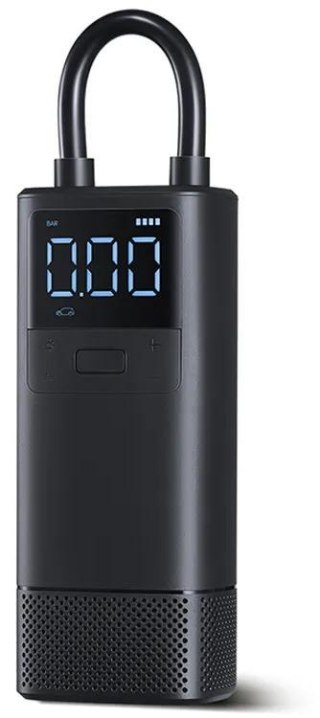
Kompresor Xiaomi Air Compressor 2 XIAOMI
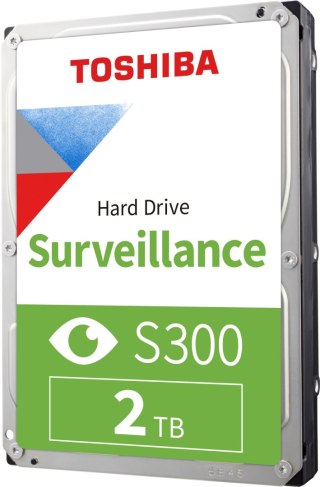
DYSK SEAGATE IronWolf ST4000VN006 4TB SEAGATE
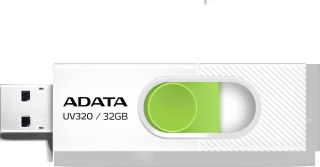
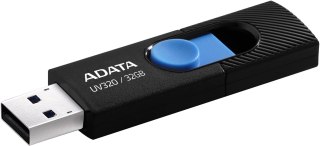
Adata Pendrive UV320 32GB USB 3.2 Gen1 Biały ADATA
Promotion
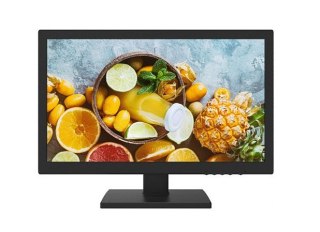
MONITOR 19" HIKVISION DS-D5019QE-B HIKVISION
Promotion
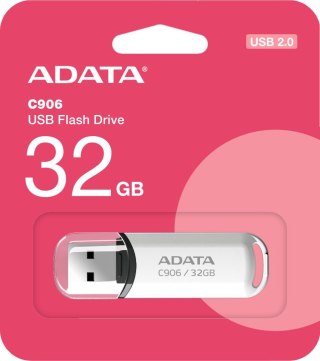
Adata Pendrive C906 32GB USB2.0 białe ADATA
Promotion
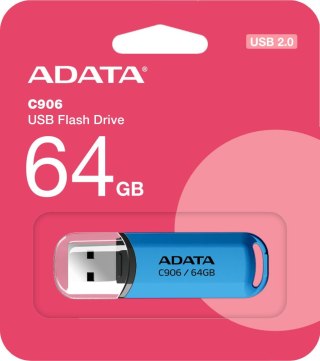
Adata Pendrive C906 64GB USB2.0 niebieski ADATA
Promotion
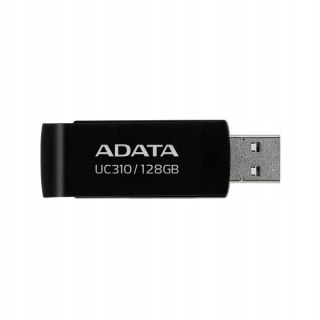
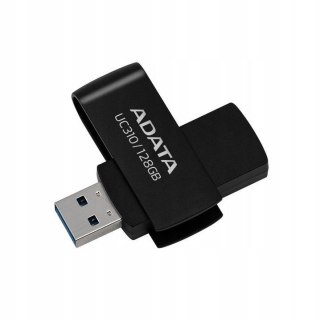
Adata Pendrive UC310 128GB USB3.2 czarny ADATA
Promotion
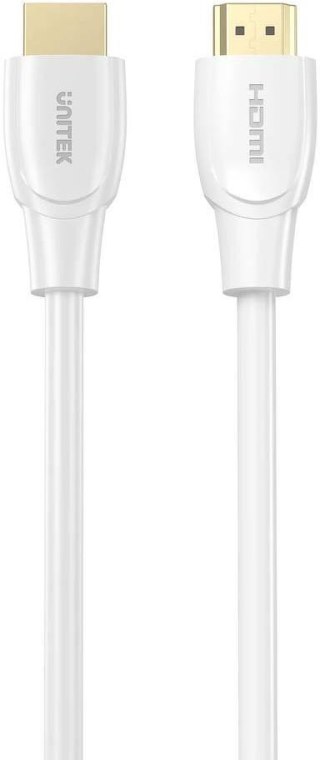
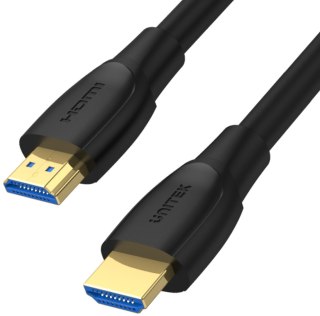
Kabel HDMI Unitek High Speed HDMI 2.0 4K 7m UNITEK
Promotion
Monitor Hikvision DS-D5043U3-1V0S HIKVISION
Promotion
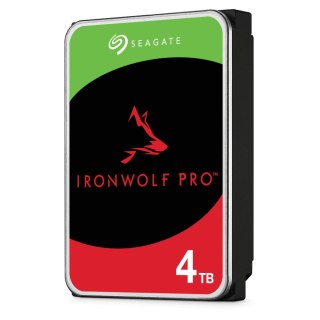
DYSK SEAGATE IronWolf PRO ST4000NT001 4TB SEAGATE
Promotion
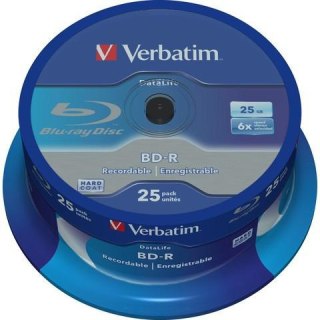
Płyta CD-R Verbatim Spin AZO cake (25szt) VERBATIM
Promotion
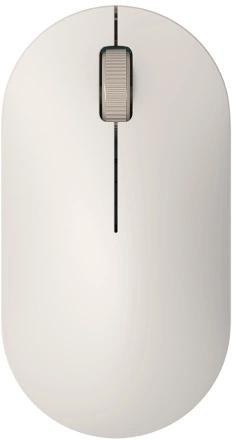
Mysz bezprzewodowa Xiaomi Lite 2 biały XIAOMI
Promotion
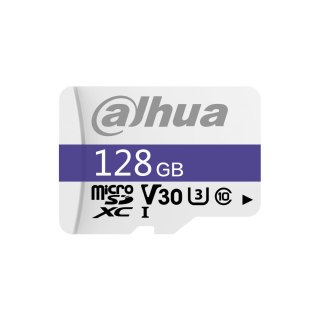
Karta pamięci microSD DAHUA TF-C100/128GB DAHUA
Promotion
Monitor Hikvision DS-D5043F3-1V0S HIKVISION
Promotion
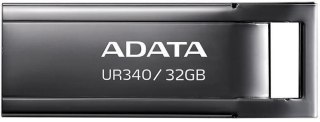
Adata Pendrive UR340 32GB USB3.2 Gen1 Czarny ADATA
Promotion
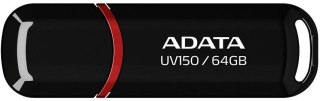
Adata Pendrive UV150 64GB USB3.2 czarny ADATA
Promotion
Monitor Hikvision DS-D5024F2-AP2 HIKVISION
Promotion
MONITOR HIKVISION DS-D5022F2-1V2S HIKVISION
Promotion
Monitor Hikvision DS-D5224F2-1V1S/B HIKVISION
Promotion
Grzejnik Xiaomi Desktop Heater XIAOMI
Promotion
Unitek Hub dwukierunkowy USB C/USB A 5Gbps kremowy UNITEK
Promotion
Adata Pendrive UR350 32GB USB3.2 Gen1 Metal brązowy ADATA
Promotion
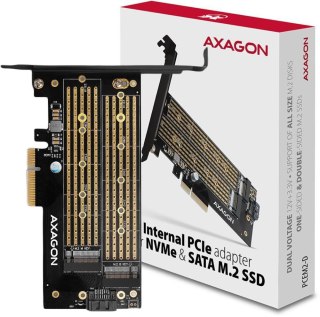
Adapter Axagon PCEM2-D PCIe NVME + SATA M.2 AXAGON
Promotion
Karta pamięci microSD Ezviz 64GB EZVIZ
Promotion
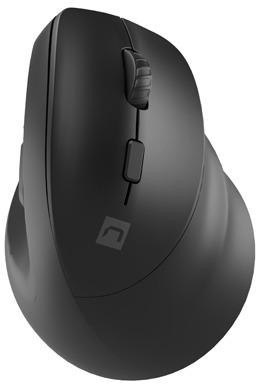
Mysz komputerowa Natec Crake 2 czarny 2400dpi NATEC
Promotion
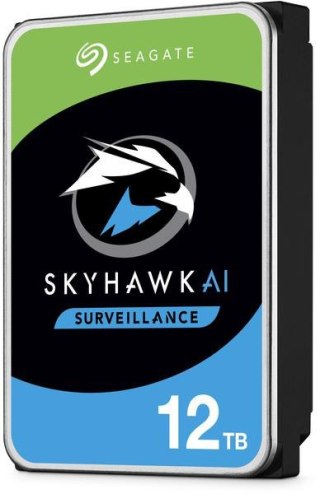
Dysk HDD Seagate SkyHawk AI ST32000VE000 32TB SEAGATE
Promotion
Pendrive Goodram UME3 Care 16GB USB 3.0 Miętowy GOODRAM
Promotion
DYSK SEAGATE BarraCuda ST2000DM008 2TB SEAGATE
Promotion
Tablet Oukitel RT7 12/256GB Blue Rugged 32000mAh OUKITEL
Promotion
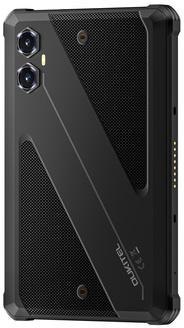
Tablet Oukitel RT3 Plus 8" 4/128GB 11000mAh czarny OUKITEL
Promotion

💻 Sprzęt Komputerowy: Profesjonalne Stacje Robocze, Komponenty PC i Peryferia

Skompletuj niezawodne zaplecze IT dla swojej firmy, biura lub domu. Przejrzyj naszą ofertę obejmującą ponad 700 profesjonalnych produktów. Dowiedz się, jak dobrać serwery sieciowe NAS, wydajne dyski, podzespoły bazowe oraz ergonomiczne akcesoria peryferyjne.

1. Dlaczego serwery NAS są kluczowe dla bezpieczeństwa danych w firmie i domu? +
Sieciowe serwery NAS (Network Attached Storage) to dedykowane urządzenia pełniące rolę prywatnej chmury danych. Pozwalają na automatyczne tworzenie kopii zapasowych (backupów) z kilku komputerów, telefonów czy systemów monitoringu wizyjnego IP jednocześnie. Dzięki konfiguracji wielodyskowej RAID, w przypadku awarii jednego dysku twardego, Twoje dane pozostają bezpieczne i nienaruszone, zapewniając ciągłość pracy i skuteczną ochronę przed utratą firmowej dokumentacji lub rodzinnych pamiątek.
2. Jaki dysk twardy wybrać do codziennej pracy, a jaki do archiwizacji i systemów ciągłych? +
Wybierając dyski i obudowy zewnętrze, należy dopasować technologię do przeznaczenia. Szybkie dyski SSD NVMe M.2 są bezkonkurencyjne jako dyski systemowe w laptopach i desktopach, drastycznie skracając czas uruchamiania programów. Do masowej archiwizacji oraz urządzeń pracujących w trybie 24/7 (np. serwery sieciowe, rejestratorzy CCTV) dedykowane są specjalistyczne dyski HDD o podwyższonej trwałości i odporności na wibracje, które gwarantują bezawaryjną pracę pod stałym obciążeniem.
3. Laptopy czy komputery stacjonarne (Desktopy) – co lepiej sprawdzi się w pracy biurowej? +
Wybór zależy od mobilności stanowiska pracy. Nowoczesne laptopy / notebooki oferują pełną niezależność, umożliwiając pracę zdalną, wyjazdy do klientów i pracę na baterii, a w biurze można je łatwo spiąć ze stacją dokującą. Klasyczne komputery stacjonarne, czyli desktopy, wygrywają w stacjonarnych centrach dowodzenia – oferują wyższy stosunek wydajności do ceny, lepsze chłodzenie podzespołów oraz bezproblemową, modułową modernizację komponentów w przyszłości.
4. Jak dobrać odpowiednie kości RAM i podzespoły bazowe do rozbudowy komputera? +
Planując upgrade stacji roboczej, kluczowa jest weryfikacja kompatybilności płyty głównej i procesora. Dobierając kości RAM, należy sprawdzić generację pamięci (np. DDR4, DDR5), częstotliwość taktowania (MHz) oraz opóźnienia (CL). Kategoria KOMPONENTY PC obejmuje również zasilacze z certyfikacją sprawności, wydajne systemy chłodzenia oraz karty graficzne. Prawidłowy dobór podzespołów zapobiega zjawisku tzw. „wąskiego gardła” (bottleneck) i pozwala wycisnąć maksimum wydajności z komputera.
5. Na jakie parametry monitorów zwrócić uwagę, aby chronić wzrok podczas wielogodzinnej pracy? +
Wybierając profesjonalne monitory do biura lub projektowania, warto szukać modeli wyposażonych w technologie ochrony wzroku: *Flicker-Free* (eliminującą niewidoczne, ale męczące migotanie obrazu) oraz *Low Blue Light* (redukującą emisję szkodliwego światła niebieskiego). Bardzo ważna jest także ergonomiczna podstawa z pełną regulacją wysokości i kąta pochylenia, matowa powłoka matrycy IPS zapobiegająca refleksom świetlnym oraz odpowiednia rozdzielczość (min. Full HD, a optymalnie 4K dla dużej przestrzeni roboczej).
6. Do czego służą wieloportowe huby USB-C i dlaczego są niezbędne przy nowoczesnych ultrabookach? +
Współczesne, smukłe laptopy posiadają mocno ograniczoną liczbę fabrycznych portów. Kompaktowe huby i replikatory portów podłączane pod interfejs USB-C lub Thunderbolt rozwiązują ten problem błyskawicznie. Za pomocą jednego adaptera możesz rozbudować swojego notebooka o dodatkowe wejścia USB-A, czytniki kart pamięci SD/microSD, gniazdo sieciowe LAN RJ45 dla stabilnego internetu kablowego oraz dodatkowe wyjścia wideo HDMI/DisplayPort do podpięcia zewnętrznych ekranów.
7. Kiedy w firmie lepiej sprawdzi się projektor z ekranem, a kiedy tradycyjny monitor? +
Dział Ekrany Projekcyjne i projektory dedykowany jest do sal konferencyjnych, szkoleniowych oraz prezentacji dla szerokiego grona odbiorców, gdzie wymagany jest obraz o przekątnej przekraczającej 80-100 cali, trudny do uzyskania na standardowym wyświetlaczu. Monitor multimedialny jest z kolei bezkonkurencyjny na indywidualnych stanowiskach pracy, w mniejszych gabinetach oraz wszędzie tam, gdzie zależy nam na maksymalnym kontraście, ostrości czcionek i pracy w pełnym, dziennym oświetleniu.
8. Jakie akcesoria peryferyjne podnoszą komfort i ergonomię codziennej pracy przy komputerze? +
Kompleksowe wyposażenie biurka decyduje o zdrowiu użytkownika i efektywności pracy. Odpowiednio profilowane, ergonomiczne myszy oraz amortyzujące klawiatury (np. mechaniczne lub membranowe o niskim skoku) odciążają nadgarstki i zapobiegają bólom dłoni. Z kolei czułe kamery internetowe Full HD, dobrze wygłuszające słuchawki z mikrofonem oraz czysto grające głośniki komputerowe są filarem bezproblemowych wideokonferencji, spotkań online oraz komfortowej rozrywki po godzinach.
9. Urządzenia mobilne w ekosystemie IT – jak mądrze dobrać smartfony i tablety? +
Współczesny biznes opiera się na stałej łączności. Służbowe smartfony oraz mobilne tablety powinny cechować się przede wszystkim nienaganną płynnością działania, mocną baterią oraz wsparciem dla systemów szyfrowania i zdalnego zarządzania flotą urządzeń (MDM). Tablety doskonale wspierają pracę handlowców, kurierów czy instalatorów w terenie, ułatwiając prezentację ofert, podpisywanie protokołów odbioru oraz szybki dostęp do dokumentacji technicznej w chmurze.
10. Drukarki laserowe czy atramentowe – co generuje niższe koszty eksploatacji? +
Dobór zależy od intensywności i specyfiki wydruków. Drukarki laserowe (monochromatyczne lub kolorowe) są bezkonkurencyjne w biurach, gdzie drukuje się duże ilości dokumentów tekstowych, faktur i zestawień – oferują błyskawiczną prędkość pracy, wysokie obciążenie miesięczne, a toner nie wysycha nawet podczas długich przestojów. Z kolei nowoczesne drukarki atramentowe z systemem stałego zasilania tuszem (ITS/CISS) są bezkonkurencyjne pod kątem kosztów druku w kolorze, oferując rewelacyjną jakość grafik i zdjęć przy minimalnym koszcie zakupu materiałów eksploatacyjnych.
11. Co zyskujemy wybierając fabrycznie skompletowane zestawy komputerowe? +
Gotowe zestawy (np. pakiety klawiatura + mysz, zestawy komputerowe z monitorem i systemem operacyjnym) dają pewność pełnej synergii i kompatybilności wszystkich elementów bezpośrednio po wyciągnięciu z opakowania. Są optymalnie zbalansowane technicznie i wydajnościowo, posiadają jednolitą gwarancję producencką oraz pozwalają zaoszczędzić czas potrzebny na samodzielne dobieranie i testowanie pojedynczych podzespołów.
12. Jakie akcesoria uzupełniające zgromadzono w sekcji "Pozostałe"? +
W pomocniczym dziale Pozostałe zebraliśmy szeroki wachlarz drobnych, lecz niezwykle istotnych akcesoriów ułatwiających codzienną pracę ze sprzętem IT. Znajdziesz tu m.in. profesjonalne podkładki pod mysz i nadgarstki, sprężone powietrze i ściereczki antystatyczne do czyszczenia matryc, organizery i maskownice do kabli biurkowych, adaptery i przejściówki sygnałowe, baterie, podkładki chłodzące pod laptopy oraz torby i etui ochronne zabezpieczające sprzęt w transporcie.
13. Dlaczego warto kupować sprzęt komputerowy i komponenty IT właśnie na MikaShop.pl? +
W MikaShop.pl oferujemy potężny, stale aktualizowany asortyment obejmujący **ponad 730 certyfikowanych produktów z segmentu sprzętu komputerowego i zaawansowanej elektroniki użytkowej**. Wszystkie nasze urządzenia pochodzą ze sprawdzonych, oficjalnych kanałów dystrybucyjnych, co daje pełną gwarancję producenta i bezpieczeństwo zakupu. Dzięki bogatej wiedzy technicznej z zakresu budowy systemów teletechnicznych, sieciowych oraz automatyki, oferujemy bezpłatne, rzetelne wsparcie w kompletowaniu konfiguracji sprzętowych, dbając o to, by zakupiony sprzęt komputerowy idealnie odpowiadał profilowi Twojej działalności.

Masz pytanie przed zakupem?

MikaShop - Technical Support

MikaShop – Professional Security Systems

TECHNICAL ADVISORY Support in English

We are a team of active installers. We know the equipment we offer from daily hands-on installation experience, not just from catalogs. Is the line busy or nobody answers? We kindly ask for your understanding – we all actively work in the field on installations, but we will definitely call you back as soon as possible!

Kind regards,
Piotr – Head of Technical Support

Contact Hours: Mon–Fri: 9:00 – 18:00 | Saturday: 10:00 – 14:00
📞 +48 668 460 487

DAMORMOWA DOSTAWA PL
Darmowa wysyłka dla zamówień od 199 zł
DAMORMOWA DOSTAWA UE
Darmowa wysyłka dla zamówień od 579 EUR
Czas realizacji
Zamów do 14:00 (Pn–Pt), a paczkę wyślemy dzisiaj
Obsługa B2B / Firm
Wygodne płatności, rezerwacja towaru
100% Oryginalny sprzęt
Wyłącznie oficjalna dystrybucja z pełną gwarancją producenta
Faktura VAT 23% lub 0 % WDT dla UE
Pełna dokumentacja zakupu i realizacja z własnego magazynu
Wsparcie i pomoc techniczna
Pomagamy w doborze odpowiednich urządzeń w języku Polskim oraz Angielskim
Sprzęt profesjonalny
Wyselekcjonowane i sprawdzone rozwiązania bez tanich zamienników

Do you have a question before purchasing?

 MikaShop.pl – Professional Surveillance, Security Systems & Automation

Welcome to **MikaShop.pl** – a distribution platform created by security systems engineers and practitioners. We provide top-tier equipment in the fields of **closed-circuit television (IP CCTV), alarm systems, video intercoms, and gate automation**. We guarantee comprehensive support for single-family homes, commercial facilities, warehouses, and industrial areas.

📦 Product Portfolio – Proven Security Systems

🎥 Professional IP Surveillance

Wired IP camera systems featuring PoE technology, Full HD, and 4K Ultra HD resolution. Advanced AI image analysis, motion detection, and intelligent privacy masks with full remote access via mobile applications.

📺 CCTV / Analog HD Systems

Dome, bullet, and PTZ speed dome cameras in HD-TVI/AHD/CVI technologies. An ideal solution for upgrading existing coaxial cabling and building cost-effective surveillance systems.

🌐 Wireless Wi-Fi Cameras

Wireless cameras dedicated to quick Plug & Play installation. Autonomous monitoring for homes, offices, or garages with direct push notifications sent to the owner's mobile phone.

🛠 Ready Surveillance Kits

Complete, pre-configured 2-, 4-, 6-, and 8-camera packages. Included: cameras, NVR/DVR recorder, dedicated Surveillance-class HDD hard drive, cabling, and power accessories.

⚡ Modern Gate Automation

Reliable drives and actuators for swing, sliding, and garage gates from leading manufacturers. We offer a full ecosystem: remote controls, photocells, GSM controllers, and Smart Home modules.

🔒 Intrusion Alarm Systems

Wired and wireless alarm systems (SSWiN). Advanced control panels, PIR motion detectors, magnetic door contacts, and sirens integrated with monitoring station notification systems.

🔌 Recorders, Hard Drives & Professional Installation Accessories

Our regular offer includes digital DVR and network NVR recorders, hard drives optimized for 24/7 continuous operation, as well as a full range of electrical installation hardware: buffer power supplies, mounting boxes, dedicated brackets, weatherproof junction boxes, and structured cabling (UTP network twisted pair, coaxial cables). The offer is complemented by **digital IP video intercoms and intercoms** with remote management and visitor verification capabilities.

✅ Why Do Investors Choose MikaShop.pl?

🇵🇱 Polish Distribution 100% original equipment with full manufacturer warranty.
📐 Engineering Support Technical advisory from experts with 15 years of installation practice.
🚚 Logistics & VAT 23% Lightning-fast shipping from a warehouse in Poland, full VAT invoice.
🔄 Secure Purchase Flexible payment methods and 14 days for returns.

🧰 FAQ – Knowledge Center & Frequently Asked Questions

🎥 Closed-Circuit Television (CCTV) & Surveillance

What home surveillance system should I choose?
The choice of home surveillance depends on the finishing stage of the building. For unfinished buildings (raw state) or before renovation, digital IP surveillance powered via twisted-pair cable (PoE) is optimal. It ensures maximum stability, highest image quality (4K Ultra HD), and resistance to interference. In finished buildings where running cables is not possible, wireless Wi-Fi systems with local power supply work great.
IP or analog home surveillance – which is better?
We strongly recommend IP surveillance. It offers higher resolution, intelligent AI image analytics (human/vehicle recognition), and easy expansion via PoE switches. Analog surveillance (HD-CVI/AHD/TVI) is a good and economical solution mainly when you are upgrading an old system and want to reuse existing coaxial cables.
How to design outdoor surveillance for a single-family home?
Effective outdoor surveillance should cover all entry points (doors, garage gate, wicket) and the property perimeter. Selecting cameras with the correct viewing angle (2.8mm lenses for a wide frame) and IP66/IP67 weather-resistant housings is crucial. It is important to mount cameras at a height that prevents easy tampering (approx. 3-4 meters).
Construction site cameras – wireless Wi-Fi or GSM 4G/LTE?
A permanent Wi-Fi network is rarely available on a construction site, which is why external 4G/LTE GSM SIM card cameras are the best solution. They allow full remote viewing in locations lacking network infrastructure. It is worth choosing battery-powered models or those supported by a solar panel, making construction site monitoring 100% autonomous.
What surveillance works best for a company or large warehouse?
Scalable IP systems based on professional network video recorders (NVR) supporting from 16 up to 128 cameras are dedicated to companies and warehouses. Crucial elements here are motorized zoom (motozoom) cameras for face and license plate identification (LPR), integration with access control systems, and advanced disk arrays ensuring secure data recording for the legally required period.
What cameras should be chosen for a livestock barn or farm?
The specifics of livestock facilities (high ammonia concentration, moisture, dust) require cameras with increased chemical and mechanical resistance (min. IP67 ingress protection, IK10 vandalism resistance). PTZ (pan-tilt-zoom) cameras with strong optical zoom are recommended for barns, allowing farmers to remotely monitor animals (e.g., during calving) from a phone without entering the building.
How does intelligent AI image analytics work in Dahua and Hikvision systems?
Modern IP cameras from Hikvision (AcuSense technology) and Dahua (WizSense/WizMind technology) have built-in deep-learning artificial intelligence algorithms. They filter out false alarms by precisely distinguishing human and vehicle silhouettes from moving leaves, rain, or small animals. They also enable setting up virtual tripwires and restricted zones whose violation immediately triggers a push notification.
Why is it worth buying a ready-made 4-camera PoE surveillance kit?
A 4-camera PoE kit is the ideal price-to-capabilities balance for a standard single-family home. PoE (Power over Ethernet) technology allows transmitting video signal and power over a single cable (UTP twisted pair). By purchasing a ready kit at MikaShop.pl, you receive perfectly matched components: cameras, NVR recorder, industrial-class HDD drive, and a set of accessories ensuring a quick startup.
How to achieve good nighttime surveillance (24/7 color image)?
To enjoy a clear, colorful image in total darkness, choose cameras equipped with advanced high-sensitivity sensors and bright lenses (F1.0). Technologies like Hikvision ColorVu or Dahua Full-Color do not use traditional black-and-white infrared (IR), but instead illuminate the scene with visible, warm LED light, allowing full identification of clothing colors or vehicles at night.
When are outdoor PTZ Wi-Fi cameras useful?
Outdoor PTZ cameras with a Wi-Fi module are an excellent solution for patrolling large, open spaces (e.g., yards, gardens, parking lots) without installing multiple fixed-position cameras. Equipped with an auto-tracking function, they follow the detected object, recording its every step.

🔒 Intrusion and Hold-up Alarm Systems (SSWiN)

What home alarm system should I choose?
A good alarm system should be based on certified devices (Grade 2 or Grade 3). The core of the system is the alarm control panel, keypad, external siren, and properly distributed detectors. Brand selection depends on expectations: for advanced systems with building automation elements, we recommend the Polish brand Satel (Integra/Perfecta series), while for those looking for modern design and simple wireless operation – the Ajax system.
Wireless home alarm – what to buy to make it secure?
When choosing a wireless alarm, avoid cheap, unbranded devices operating on open frequencies. Professional wireless systems (e.g., Satel Abax 2 or Ajax) use encrypted, two-way radio transmission across multiple bands simultaneously. In the event of a signal jamming attempt, the system immediately changes frequency and alerts the owner of sabotage.
Is a DIY alarm kit a good solution?
Yes, especially in the case of wireless systems. Manufacturers like Ajax design their devices using Smart-Placement – detectors are added to the control panel using QR codes in a mobile app, and installation is limited to screwing brackets in place. For simple wired systems (e.g., Satel Perfecta), installation can also be done independently with the help of our technical advisors.
What features does a modern home alarm system have?
Modern alarm systems go far beyond burglary detection. They protect the home from water damage (flood detectors), detect early stages of fire (smoke and heat detectors), and carbon monoxide leaks. They can also shut off the main water valve in case of a failure and control lighting, roller shutters, and heating.
How does a phone-controlled alarm work?
A control panel equipped with an IP or IP/GSM module connects to the manufacturer's dedicated, secure cloud. Via a free smartphone app (Android/iOS), the user can arm or disarm the system (the whole house or selected zones) from anywhere in the world, view event history, and receive instant push notifications about alarms.
How do pet-immune motion detectors (PET function) work?
Pet-immune detectors ignore the presence of dogs or cats (usually up to 15-20 kg). This is achieved through a specially designed Fresnel lens that creates a "dead zone" near the floor, or advanced digital signal processing that analyzes the size and thermal characteristics of the moving object. Dual technology detectors (PIR+MW) are recommended for homes with pets.
Why is an alarm with GSM notification and a SIM card a necessity?
GSM notification is a crucial backup channel for internet communication (Wi-Fi/LAN). In the event of a home router failure or intentional power cutoff by a burglar, the alarm control panel automatically switches to the GSM cellular network. This enables uninterrupted SMS alerts, voice calls (VOICE), and effective signal transmission to a security agency.

⚡ Gate Automation and Drives

What sliding gate drive to choose for up to 500kg?
When choosing a drive, always keep a 30-50% safety margin relative to the gate weight so that the actuator easily handles resistance in winter conditions (snow, frost). For a sliding gate weighing up to 500kg, proven, legendary drives based on metal gears are the ideal choice, characterized by reliability and easy movement parameter programming.
What swing gate drive to choose – narrow or wide posts?
This is a key installation parameter. For narrow posts (metal or clinker with a hinge mounting depth of up to 10-15 cm), standard linear screw actuators are used. For very wide posts (e.g., made of split-face concrete blocks where the distance from the hinge to the edge of the post is over 20 cm), a regular actuator will jam against the edge. In this case, articulated arm drives are necessary.
Nice, Came or BFT gate automation kit – what to choose?
All three brands represent the highest European quality and guarantee full availability of spare parts for years. **Came** is famous for incredibly durable mechanical designs and service simplicity. **Nice** offers modern design, advanced control panels, and a very popular line of home drives. **BFT** stands out with advanced 24V power technology featuring intelligent torque management (D-Track system).
Universal gate remote control – how does programming work?
Universal self-copying remotes work smoothly with fixed codes (usually 433.92 MHz). However, branded drives use secure rolling codes. To program a new remote, you usually need to trigger the pairing procedure directly on the radio receiver inside the drive control panel or use a previously programmed remote via radio (near the gate), following the procedure described in the manufacturer's manual.
Gate photocells – connection and operating principle?
Photocells consist of a transmitter (TX) and receiver (RX) creating an invisible infrared barrier across the driveway opening. The receiver is connected to the control panel using a power cable and an NC (Normally Closed) line to the safety input (PHOTO/STOP). Breaking the infrared beam during gate closing results in the immediate stop of the wings and their safe reversal, preventing impact on a vehicle or person.
What cable should be laid in the ground for a gate drive?
To supply main power to the drive control panel (230V), use a three-core, dedicated underground cable in a thick black PVC sheath resistant to moisture and UV, such as **YKY 3x1.5 mm²** or **YKY 3x2.5 mm²** (for greater distances from the switchboard). For connecting accessories (photocells, warning lamp, wall buttons), gel-filled outdoor underground twisted-pair cable **U/UTP cat. 5E** or low-voltage signal cable **YTDY** is ideal.

📍 Nationwide Security Systems Distribution Network

We supply top-tier solutions in closed-circuit television, alarms, gate automation, and access control systems to clients throughout Poland. Check the dedicated offer for your region: