🌐 Wybierz język / Language:

IP and NVR recorders for network monitoring

Number of products: 111

Simple surveillance without complications!
Sets READY-TO-GO from MikaShop.pl are programmed and configured by our technicians - All you do is install devices and connect them to power. Learn More >>

Sorting applied: Price (growingly).
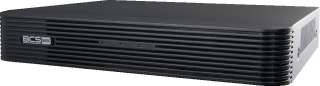
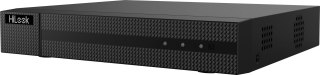
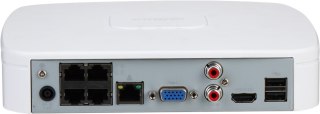
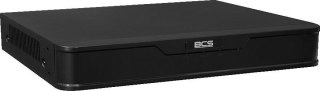
BCS BASIC BCS-B-NVR0401(2.0) Recorder BCS
Promotion
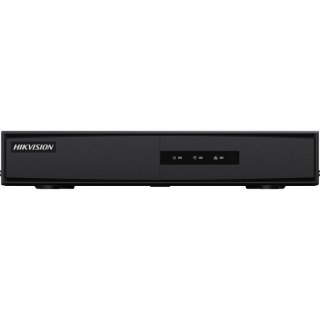
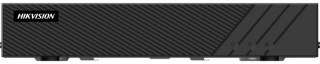
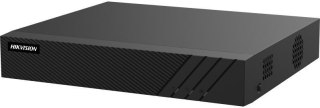
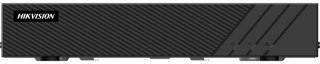
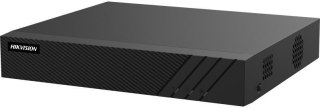
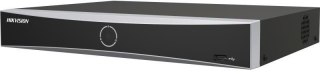
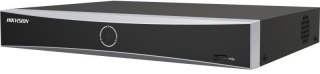
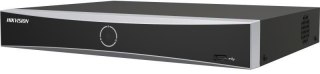
REJESTRATOR IP HIKVISION DS-7104NI-Q1/M (D) HIKVISION
Promotion
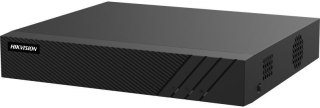
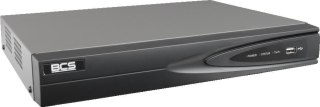
BCS BASIC BCS-B-NVR1001(2.0) BCS Recorder
Promotion
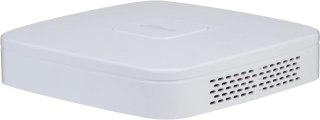
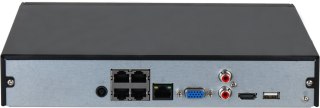
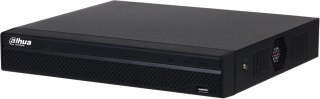
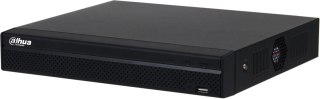
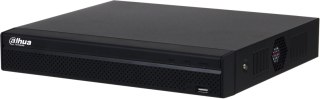
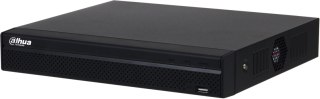
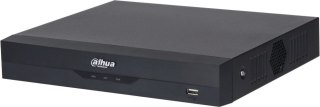
DAHUA NVR2104-4KS3 IP RECORDER DAHUA
Promotion
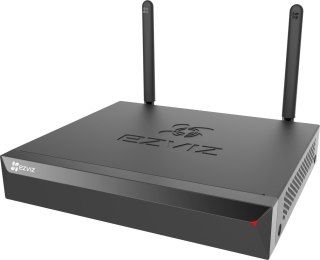
IP Recorder Ezviz X5S-4W EZVIZ
Promotion
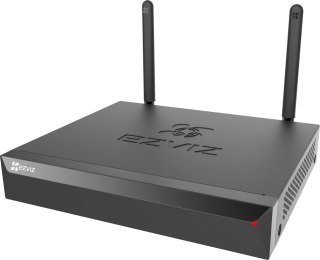
Ezviz X5S-8W EZVIZ IP Recorder
Promotion
Promotion price: 278.92 Price before promotion: 288.56
IP Recorder BCS POINT BCS-P-NVR0801-4KE-III BCS
Promotion
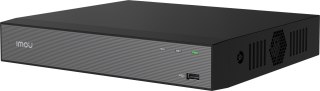
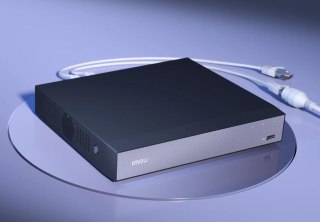
Rejestrator IP Imou NVR-N110W-8A0E Wi-Fi 10- kanałowy IMOU
Promotion
Rejestrator IP HIKVISION DS-7104NI-Q1/4P/M(D) HIKVISION
Promotion
DAHUA IP RECORDER NVR2108-4KS3 DAHUA
Promotion
Imou N110-4P 10-channel 4-PoE IP Recorder IMOU
Promotion
HikVision DS-7108NI-Q1/M (D) IP Recorder HIKVISION
Promotion
BCS BASIC BCS-B-NVR0401-4P(2.0) Recorder BCS
Promotion
DAHUA IP RECORDER NVR2108HS-4KS3 DAHUA
Sale Promotion
Hilook by Hikvision 5MP NVR-4CH-5MP HILOOK
Promotion
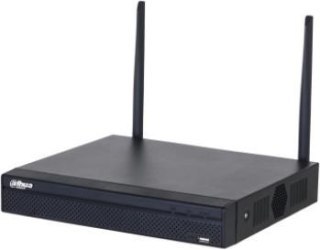
DAHUA WIFI RECORDER NVR1104HS-W-S2-CE DAHUA
Promotion
Imou IP Recorder NVR-N118W-8A0E-P 18-channel IMOU
Promotion
DAHUA IP RECORDER NVR2104-P-4KS3 DAHUA
Promotion
Hikvision DS-7604NI-Q1(E)(STD)/PL IP Recorder HIKVISION
Sale Promotion
Hikvision IP Recorder DS-7608NI-Q1 E PL HIKVISION
Promotion
REJESTRATOR IP DAHUA NVR2104HS-P-4KS3 DAHUA
Promotion
Imou N118-8P IP Recorder 18-channel 8-PoE IMOU
Promotion
BCS POINT BCS-P-NVR0401-4K(3) Recorder BCS
Promotion
IP Recorder BCS Line BCS-L-SNVR0801-4KE(2) BCS
Promotion
Rejestrator IP Hikvision DS-7608NI-Q1(E) HIKVISION
Promotion
DAHUA IP RECORDER NVR4104HS-4KS3 DAHUA
Sale Promotion
BCS POINT BCS-P-NVR0801-4K(3) recorder BCS
Promotion
BCS VIEW RECORDER BCS-V-NVR0401-A-4KE(2) BCS
Promotion
Rejestrator IP NT-NVR760H-H1 MITON
Promotion
DAHUA NVR4104-EI IP RECORDER DAHUA
Promotion
Hikvision DS-7604NI-Q1/4P(E)(STD)/PL HIKVISION IP Recorder
Promotion
DAHUA IP RECORDER NVR4108HS-4KS3 DAHUA
Promotion
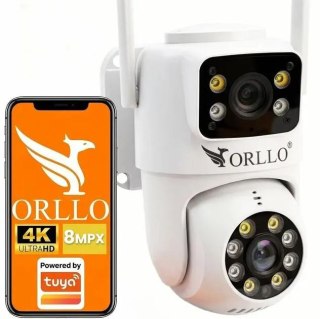
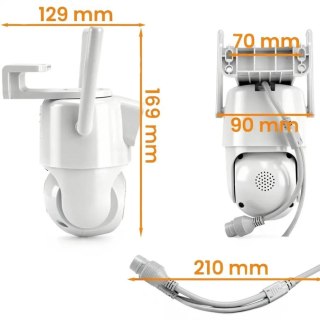
Orllo TZ19 DUAL 4MP+4MP Wi-Fi 4K AI HILOOK Camera
Promotion
DAHUA NVR2108HS-8P-4KS3 IP RECORDER DAHUA
Promotion
DAHUA NVR4104HS-EI IP RECORDER DAHUA
Promotion
IP RECORDER DAHUA NVR4108HS-EI DAHUA
Sale Promotion
Hikvision DS-7604NI-Q1/4P(E)(STD) HIKVISION IP Recorder
Promotion
HIKVISION DS-7604NXI-K1(D) IP RECORDER HIKVISION
Promotion
DAHUA NVR4116HS-4KS3 IP RECORDER
Sale Promotion
DAHUA NVR2108-8P-4KS3 IP RECORDER DAHUA
Promotion
DAHUA NVR4108-EI IP RECORDER DAHUA
Promotion
BCS LINE BCS-L-NVR0401-4KE(2L) BCS Recorder
Promotion
DAHUA NVR4104HS-P-4KS3 IP RECORDER DAHUA
Sale Promotion
HIKVISION DS-7608NXI-K1(D) IP RECORDER HIKVISION
Promotion
HIKVISION IP RECORDER DS-7604NXI-K1(D)/Alarm4+1 HIKVISION
Promotion
DAHUA NVR4116HS-EI IP RECORDER DAHUA
Promotion
DAHUA NVR4208-4KS3 IP RECORDER DAHUA
Sale Promotion
Imou N236-16P 36-channel 16-PoE IMOU IP Recorder
Promotion
Hikvision DS-7604NXI-K1/VPro IP Recorder HIKVISION
Promotion
HIKVISION DS-7608NXI-K1(D)/Alarm4+1 IP RECORDER HIKVISION
Promotion
BCS LINE BCS-L-NVR0401-4KE(2) Recorder BCS
Promotion
REJESTRATOR IP NT-NVR761F-H2 MITON
Promotion
DAHUA NVR4216-4KS3 IP RECORDER DAHUA
Sale Promotion
HIKVISION DS-7616NXI-K1(D) IP RECORDER HIKVISION
Promotion
IP RECORDER DAHUA NVR4208-EI DAHUA
Promotion
Recorder BCS LINE BCS-L-NVR0401-4KE-4P(2) BCS
Promotion
DAHUA IP RECORDER NVR4104-P-EI DAHUA
Promotion
HIKVISION DS-7608NXI-K2(D) IP RECORDER HIKVISION
Promotion
DAHUA NVR4108HS-8P-4KS3 DAHUA IP RECORDER
Promotion
DAHUA NVR4216-EI IP RECORDER DAHUA
Promotion

💾 Complete Guide: IP Network Recorders (NVR) FAQ

The heart of your surveillance system. Learn how to select the appropriate NVR IP recorder, what is the input bandwith, how to select a hard drive and how to configure smooth recording and preview from cameras.

1. What is an IP recorder and what is used in the network monitoring system? +
IP recorderalso known as NVR (Network Video Recorder), is the central control device and the heart of the digital monitoring system. Its main task is to continuously receive digital video stream from IP cameras connected to the LAN network, process it, display it on the monitor and save it safely on the internal hard drive. The network recorder also allows you to manage all cameras from one location, configure recording schedules, and share a preview on your mobile phone.
2. How is NVR different from DVR and XVR? +
The difference is the technology and the way data is transmitted. NVR recorder (network) works exclusively with digital IP cameras via a computer network and wire type cables (RJ45). In turn DVR and XVR recorders (hybrid) are designed to support older analogue systems (HD-CVI/AHD) and have characteristic round BNC sockets for coaxial cable on the back of the housing. NVR IP recorders offer much more computing power, higher resolution (4K) support and access to advanced AI analytics.
3. What should I pay attention to by choosing the number of channels in the network recorder? +
The number of channels determines how many IP cameras you can connect to your recorder. On the market are standard available 4-channel, 8-channel, 16-channel and 32-channel IP recorders. When choosing equipment, it is always worth buying a model with a light supply. If you plan to install 4 cameras around the house, choice NVR 8 channel recorder allows you to easily extend the monitoring by further points (e.g. garage or driveway) in the future without the need for costly replacement of the entire central device.
4. What is the input band (Bitrate In / Bandwide) in the specification of the NVR recorder? +
The input band (expressed in Mbps, e.g. 40 Mbps, 80 Mbps or 160 Mbps) is a key performance parameter that tells how much digital data the recorder can accept and save simultaneously from all IP cameras. Each camera generates a specified stream (e.g. the 4MP camera needs about 4-6 Mbps). Total streams from all connected cameras shall not exceed the maximum input band NVR network recorderOtherwise, the image will start to lose its cages, jam or the cameras will hang up randomly.
5. Is it worth buying an IP recorder with a built-in PoE switch? +
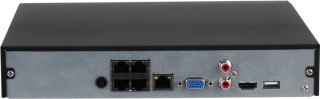
Definitely yes, if you care about maximum simple and quick installation. IP recorder with built-in PoE switch has RJ45 ready-to-use network ports at the rear of the housing, which power the cameras and receive images from them using one cable. Such a system works on the Plug-and-Play principle – when the cable is inserted from the camera directly into the recorder, the device automatically configures IP addresses and launches the preview, which eliminates the need for external switching and manual programming of the LAN network.
6. How is the recorder independent of the PoE switch for wiring? +
In the case of a recorder with a built-in PoE, from each IP camera you must bring a separate network cable directly to where the recorder stands. By standard NVR recorder (without PoE) you have more flexibility – you lead the cables from the cameras to the nearest external PoE switch (e.g. in the attic or in the garage), and from there only one main network cable runs to the recorder. This facilitates the optimization of cable routes in large buildings.
7. Which hard drive to the IP recorder to choose and why will the normal PC break down? +
For CCTV recorders it is absolutely necessary to use specialist hard drives for continuous operation 24/7, such as the series WD Purple or Seagate SkyHawk. The usual computer disks from the old PC are designed to work for 8 hours a day and for frequent downtimes. The video recorder forces continuous, intense recording of HD streams around the clock. A simple computer disk in such conditions will quickly be overheated and mechanically damaged, which threatens to permanently lose surveillance recordings.
8. How to calculate the required HDD capacity for the monitoring recorder? +
The required capacity depends on the number of cameras, resolution, frame number and compression. It is assumed that for 4 IP cameras with popular 4MP resolution (Super HD), with modern compression codec enabled H.265+ and continuous recording for 24 hours, 2TB hard disk Enough for about 10-14 days of history. If you change the recording mode to motion detection (instead of continuous), the same disk will allow you to preserve the video material for up to a month.
9. What happens when the hard drive in the IP recorder fills up 100%? +
You don't have to worry about manually formatting or cleaning memory. All Professional network recorder IP Hikvision or Dahua have default enabled function overwriting the oldest recordings (so-called loop). This means that when the HDD memory is fully filled, the recorder automatically removes the oldest day from history (e.g. two weeks ago) and in its place smoothly saves current events. Monitoring works without service.
10. How is the main stream different from the auxiliary stream in the NVR recorder? +
This is a function that optimizes network and device load. Main Stream is the image in full, highest resolution (e.g. 4K) and maximum quality – it is used by the recorder to write on the disk and display the image on the full screen of the monitor. Sub Stream is an image in deliberately reduced resolution (e.g. VGA or HD). The recorder uses it to smoothly display the network of multiple cameras simultaneously on one screen and to quickly upload the preview through the mobile app to the phone, saving your mobile data package.
11. Does the NVR IP recorder support intelligent AI analysis from cameras? +
Yes, modern network recorders are fully adapted to work with cameras with artificial intelligence algorithms. For example, Hikvision AcuSense series recorders or Dahua WizSense / WizMind they can not only receive and save metadata, but also search the recordings themselves for specific events. In a few seconds, you can filter the entire week’s recordings by selecting the option “Show only the moments when a car entered the yard” or “a human figure has been detected”.
12. How do I download video from an IP recorder to a flash drive or computer? +
You have two simple methods to choose from. The first is a portable memory plug flash drive to USB port in the recorder, enter the play menu with the mouse, select an interesting time piece and click on the "Export" option. The second, more convenient method is to download the video directly through the network – you log into the recorder via the program on your computer (e.g. iVMS-4200 or SmartPSS) or the app on your phone and download the MP4/AVI video file directly into the memory of your device.
13. Can I connect a TV or monitor to the NVR network recorder? +
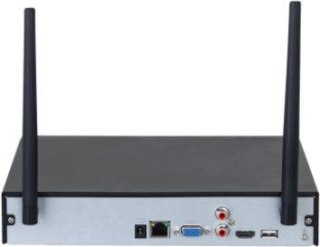
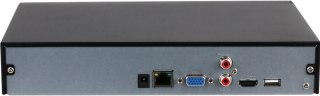
Yes, every professional IP camera recorder has standard video outputs on the rear panel: HDMI and VGA. With HDMI cable you can connect the recorder directly to the TV in the living room or a dedicated monitor standing on the desk. This allows you to enjoy a comfortable, constant live preview in the highest quality (4K/UHD), system management with the included USB mouse and fast browsing the saved history without using your computer or phone.
14. What does the "Decoding Capacity" parameter mean in the recorder? +
The decoding ability determines how many video streams in a given resolution the recorder can simultaneously process and display on a live screen. For example, a technical specification can say: "Decoding: 2-ch @ 8 MP or 4-ch @ 4 MP". This means that on the connected monitor NVR recorder display at the same time a maximum of 2 cameras in 4K or 4 cameras in 4MP resolution with full liquidity. This parameter applies only to live display – the recording itself on the disk always takes place in full resolution for all channels.
15. Where's the best place to hide a security camera at home to protect it from a thief? +
The recorder is a key element – if a thief enters the house and steals it, you will lose all evidence of the crime. Therefore, it must not be put in a visible place, e.g. on the RTV cabinet under the TV. Best places to install digital recorder closed, hard-to-access spaces: attic, attic, closet, ventilated cavity or special, metal Rack Rack Rack locked on key (preferably mounted high under the ceiling). It is also worth to configure the automatic sending of alarm event images to the external server (FTP / Cloud).
16. How many SATA hard drives can I mount inside one IP recorder? +
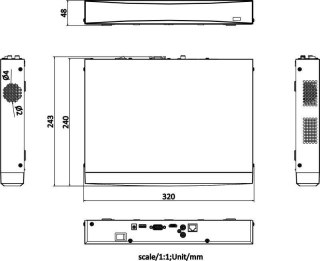
The number of disks supported depends on the physical size of the recorder housing. Smallest home NVR network recorders service 1 SATA disk with a capacity typically up to 6TB or 8TB. Larger professional models have wide housings and more powerful power supplies, allowing installation 2, 4, or even 8 hard drives at the same time. This allows you to create a powerful disc space for recordings, necessary in industrial, corporate and urban systems.
17. What is the ANR function in NVR network recorders? +
ANR (Automatic Network Replenishment) is an advanced rescue function that protects the continuity of the recording. If there is a failure of the LAN network in your home (e.g. the router suspends or the network cable connecting the IP camera to the recorder is damaged), the recorder will lose the connection. The IP camera with the ANR function and the MicroSD memory card immediately detects no connection and starts saving the image locally on the card. When the network failure is removed, NVR recorder automatically downloads missing footage from camera memory card And they'll merge it into one whole on the main drive.
18. Does an IP recorder need a continuous Internet connection to record? +
No! No! It's a common myth. IP network recorder works 100% locally. This means that downloading the image from the PoE wired cameras and saving the video stream to the HDD is done inside your home in a closed LAN network and does not require a single byte of connection to the fiber or cellular Internet. The Internet is only needed for one purpose: when you want to connect to the recorder remotely, being away from home, using your smartphone or computer.
19. How to reset the forgotten password to Dahua or Hikvision IP recorder? +
For security reasons, today's monitoring systems do not have universal service passwords. To reset the password in Hikvision recorder, use the SADPTool program on your computer, export a special XML file or QR code and send it to the vendor's technical support. In case of Dahua recorders, reset can be done by the DMSS application itself, scanning the QR code of the password reset displayed on the monitor and providing the verification code sent to your email address assigned during the first device configuration.
20. Why buy an IP network recorder in the authorized MikaShop.pl store? +
Buying NVR network recorder at MikaShop.pl, you get the equipment 100% original, coming from the official Polish distribution network with the full right to free software updates (firmware) and full guarantee. Most importantly, as a store run by active low-current system installers, we provide our customers with complete free technical support**. We will help you select the recorder under your IP cameras, advise you when installing the disk, and help you remotely in the full network configuration and running the app on your phone!

Masz pytanie przed zakupem?

MikaShop - Technical Support

MikaShop – Professional Security Systems

TECHNICAL ADVISORY Support in English

We are a team of active installers. We know the equipment we offer from daily hands-on installation experience, not just from catalogs. Is the line busy or nobody answers? We kindly ask for your understanding – we all actively work in the field on installations, but we will definitely call you back as soon as possible!

Kind regards,
Piotr – Head of Technical Support

Contact Hours: Mon–Fri: 9:00 – 18:00 | Saturday: 10:00 – 14:00
📞 +48 668 460 487

DAMORMOWA DOSTAWA PL
Darmowa wysyłka dla zamówień od 199 zł
DAMORMOWA DOSTAWA UE
Darmowa wysyłka dla zamówień od 579 EUR
Czas realizacji
Zamów do 14:00 (Pn–Pt), a paczkę wyślemy dzisiaj
Obsługa B2B / Firm
Wygodne płatności, rezerwacja towaru
100% Oryginalny sprzęt
Wyłącznie oficjalna dystrybucja z pełną gwarancją producenta
Faktura VAT 23% lub 0 % WDT dla UE
Pełna dokumentacja zakupu i realizacja z własnego magazynu
Wsparcie i pomoc techniczna
Pomagamy w doborze odpowiednich urządzeń w języku Polskim oraz Angielskim
Sprzęt profesjonalny
Wyselekcjonowane i sprawdzone rozwiązania bez tanich zamienników

Do you have a question before purchasing?

 MikaShop.pl – Professional Surveillance, Security Systems & Automation

Welcome to **MikaShop.pl** – a distribution platform created by security systems engineers and practitioners. We provide top-tier equipment in the fields of **closed-circuit television (IP CCTV), alarm systems, video intercoms, and gate automation**. We guarantee comprehensive support for single-family homes, commercial facilities, warehouses, and industrial areas.

📦 Product Portfolio – Proven Security Systems

🎥 Professional IP Surveillance

Wired IP camera systems featuring PoE technology, Full HD, and 4K Ultra HD resolution. Advanced AI image analysis, motion detection, and intelligent privacy masks with full remote access via mobile applications.

📺 CCTV / Analog HD Systems

Dome, bullet, and PTZ speed dome cameras in HD-TVI/AHD/CVI technologies. An ideal solution for upgrading existing coaxial cabling and building cost-effective surveillance systems.

🌐 Wireless Wi-Fi Cameras

Wireless cameras dedicated to quick Plug & Play installation. Autonomous monitoring for homes, offices, or garages with direct push notifications sent to the owner's mobile phone.

🛠 Ready Surveillance Kits

Complete, pre-configured 2-, 4-, 6-, and 8-camera packages. Included: cameras, NVR/DVR recorder, dedicated Surveillance-class HDD hard drive, cabling, and power accessories.

⚡ Modern Gate Automation

Reliable drives and actuators for swing, sliding, and garage gates from leading manufacturers. We offer a full ecosystem: remote controls, photocells, GSM controllers, and Smart Home modules.

🔒 Intrusion Alarm Systems

Wired and wireless alarm systems (SSWiN). Advanced control panels, PIR motion detectors, magnetic door contacts, and sirens integrated with monitoring station notification systems.

🔌 Recorders, Hard Drives & Professional Installation Accessories

Our regular offer includes digital DVR and network NVR recorders, hard drives optimized for 24/7 continuous operation, as well as a full range of electrical installation hardware: buffer power supplies, mounting boxes, dedicated brackets, weatherproof junction boxes, and structured cabling (UTP network twisted pair, coaxial cables). The offer is complemented by **digital IP video intercoms and intercoms** with remote management and visitor verification capabilities.

✅ Why Do Investors Choose MikaShop.pl?

🇵🇱 Polish Distribution 100% original equipment with full manufacturer warranty.
📐 Engineering Support Technical advisory from experts with 15 years of installation practice.
🚚 Logistics & VAT 23% Lightning-fast shipping from a warehouse in Poland, full VAT invoice.
🔄 Secure Purchase Flexible payment methods and 14 days for returns.

🧰 FAQ – Knowledge Center & Frequently Asked Questions

🎥 Closed-Circuit Television (CCTV) & Surveillance

What home surveillance system should I choose?
The choice of home surveillance depends on the finishing stage of the building. For unfinished buildings (raw state) or before renovation, digital IP surveillance powered via twisted-pair cable (PoE) is optimal. It ensures maximum stability, highest image quality (4K Ultra HD), and resistance to interference. In finished buildings where running cables is not possible, wireless Wi-Fi systems with local power supply work great.
IP or analog home surveillance – which is better?
We strongly recommend IP surveillance. It offers higher resolution, intelligent AI image analytics (human/vehicle recognition), and easy expansion via PoE switches. Analog surveillance (HD-CVI/AHD/TVI) is a good and economical solution mainly when you are upgrading an old system and want to reuse existing coaxial cables.
How to design outdoor surveillance for a single-family home?
Effective outdoor surveillance should cover all entry points (doors, garage gate, wicket) and the property perimeter. Selecting cameras with the correct viewing angle (2.8mm lenses for a wide frame) and IP66/IP67 weather-resistant housings is crucial. It is important to mount cameras at a height that prevents easy tampering (approx. 3-4 meters).
Construction site cameras – wireless Wi-Fi or GSM 4G/LTE?
A permanent Wi-Fi network is rarely available on a construction site, which is why external 4G/LTE GSM SIM card cameras are the best solution. They allow full remote viewing in locations lacking network infrastructure. It is worth choosing battery-powered models or those supported by a solar panel, making construction site monitoring 100% autonomous.
What surveillance works best for a company or large warehouse?
Scalable IP systems based on professional network video recorders (NVR) supporting from 16 up to 128 cameras are dedicated to companies and warehouses. Crucial elements here are motorized zoom (motozoom) cameras for face and license plate identification (LPR), integration with access control systems, and advanced disk arrays ensuring secure data recording for the legally required period.
What cameras should be chosen for a livestock barn or farm?
The specifics of livestock facilities (high ammonia concentration, moisture, dust) require cameras with increased chemical and mechanical resistance (min. IP67 ingress protection, IK10 vandalism resistance). PTZ (pan-tilt-zoom) cameras with strong optical zoom are recommended for barns, allowing farmers to remotely monitor animals (e.g., during calving) from a phone without entering the building.
How does intelligent AI image analytics work in Dahua and Hikvision systems?
Modern IP cameras from Hikvision (AcuSense technology) and Dahua (WizSense/WizMind technology) have built-in deep-learning artificial intelligence algorithms. They filter out false alarms by precisely distinguishing human and vehicle silhouettes from moving leaves, rain, or small animals. They also enable setting up virtual tripwires and restricted zones whose violation immediately triggers a push notification.
Why is it worth buying a ready-made 4-camera PoE surveillance kit?
A 4-camera PoE kit is the ideal price-to-capabilities balance for a standard single-family home. PoE (Power over Ethernet) technology allows transmitting video signal and power over a single cable (UTP twisted pair). By purchasing a ready kit at MikaShop.pl, you receive perfectly matched components: cameras, NVR recorder, industrial-class HDD drive, and a set of accessories ensuring a quick startup.
How to achieve good nighttime surveillance (24/7 color image)?
To enjoy a clear, colorful image in total darkness, choose cameras equipped with advanced high-sensitivity sensors and bright lenses (F1.0). Technologies like Hikvision ColorVu or Dahua Full-Color do not use traditional black-and-white infrared (IR), but instead illuminate the scene with visible, warm LED light, allowing full identification of clothing colors or vehicles at night.
When are outdoor PTZ Wi-Fi cameras useful?
Outdoor PTZ cameras with a Wi-Fi module are an excellent solution for patrolling large, open spaces (e.g., yards, gardens, parking lots) without installing multiple fixed-position cameras. Equipped with an auto-tracking function, they follow the detected object, recording its every step.

🔒 Intrusion and Hold-up Alarm Systems (SSWiN)

What home alarm system should I choose?
A good alarm system should be based on certified devices (Grade 2 or Grade 3). The core of the system is the alarm control panel, keypad, external siren, and properly distributed detectors. Brand selection depends on expectations: for advanced systems with building automation elements, we recommend the Polish brand Satel (Integra/Perfecta series), while for those looking for modern design and simple wireless operation – the Ajax system.
Wireless home alarm – what to buy to make it secure?
When choosing a wireless alarm, avoid cheap, unbranded devices operating on open frequencies. Professional wireless systems (e.g., Satel Abax 2 or Ajax) use encrypted, two-way radio transmission across multiple bands simultaneously. In the event of a signal jamming attempt, the system immediately changes frequency and alerts the owner of sabotage.
Is a DIY alarm kit a good solution?
Yes, especially in the case of wireless systems. Manufacturers like Ajax design their devices using Smart-Placement – detectors are added to the control panel using QR codes in a mobile app, and installation is limited to screwing brackets in place. For simple wired systems (e.g., Satel Perfecta), installation can also be done independently with the help of our technical advisors.
What features does a modern home alarm system have?
Modern alarm systems go far beyond burglary detection. They protect the home from water damage (flood detectors), detect early stages of fire (smoke and heat detectors), and carbon monoxide leaks. They can also shut off the main water valve in case of a failure and control lighting, roller shutters, and heating.
How does a phone-controlled alarm work?
A control panel equipped with an IP or IP/GSM module connects to the manufacturer's dedicated, secure cloud. Via a free smartphone app (Android/iOS), the user can arm or disarm the system (the whole house or selected zones) from anywhere in the world, view event history, and receive instant push notifications about alarms.
How do pet-immune motion detectors (PET function) work?
Pet-immune detectors ignore the presence of dogs or cats (usually up to 15-20 kg). This is achieved through a specially designed Fresnel lens that creates a "dead zone" near the floor, or advanced digital signal processing that analyzes the size and thermal characteristics of the moving object. Dual technology detectors (PIR+MW) are recommended for homes with pets.
Why is an alarm with GSM notification and a SIM card a necessity?
GSM notification is a crucial backup channel for internet communication (Wi-Fi/LAN). In the event of a home router failure or intentional power cutoff by a burglar, the alarm control panel automatically switches to the GSM cellular network. This enables uninterrupted SMS alerts, voice calls (VOICE), and effective signal transmission to a security agency.

⚡ Gate Automation and Drives

What sliding gate drive to choose for up to 500kg?
When choosing a drive, always keep a 30-50% safety margin relative to the gate weight so that the actuator easily handles resistance in winter conditions (snow, frost). For a sliding gate weighing up to 500kg, proven, legendary drives based on metal gears are the ideal choice, characterized by reliability and easy movement parameter programming.
What swing gate drive to choose – narrow or wide posts?
This is a key installation parameter. For narrow posts (metal or clinker with a hinge mounting depth of up to 10-15 cm), standard linear screw actuators are used. For very wide posts (e.g., made of split-face concrete blocks where the distance from the hinge to the edge of the post is over 20 cm), a regular actuator will jam against the edge. In this case, articulated arm drives are necessary.
Nice, Came or BFT gate automation kit – what to choose?
All three brands represent the highest European quality and guarantee full availability of spare parts for years. **Came** is famous for incredibly durable mechanical designs and service simplicity. **Nice** offers modern design, advanced control panels, and a very popular line of home drives. **BFT** stands out with advanced 24V power technology featuring intelligent torque management (D-Track system).
Universal gate remote control – how does programming work?
Universal self-copying remotes work smoothly with fixed codes (usually 433.92 MHz). However, branded drives use secure rolling codes. To program a new remote, you usually need to trigger the pairing procedure directly on the radio receiver inside the drive control panel or use a previously programmed remote via radio (near the gate), following the procedure described in the manufacturer's manual.
Gate photocells – connection and operating principle?
Photocells consist of a transmitter (TX) and receiver (RX) creating an invisible infrared barrier across the driveway opening. The receiver is connected to the control panel using a power cable and an NC (Normally Closed) line to the safety input (PHOTO/STOP). Breaking the infrared beam during gate closing results in the immediate stop of the wings and their safe reversal, preventing impact on a vehicle or person.
What cable should be laid in the ground for a gate drive?
To supply main power to the drive control panel (230V), use a three-core, dedicated underground cable in a thick black PVC sheath resistant to moisture and UV, such as **YKY 3x1.5 mm²** or **YKY 3x2.5 mm²** (for greater distances from the switchboard). For connecting accessories (photocells, warning lamp, wall buttons), gel-filled outdoor underground twisted-pair cable **U/UTP cat. 5E** or low-voltage signal cable **YTDY** is ideal.

📍 Nationwide Security Systems Distribution Network

We supply top-tier solutions in closed-circuit television, alarms, gate automation, and access control systems to clients throughout Poland. Check the dedicated offer for your region: